


GripFlow™ Ergonomic Vertical Mouse
Traditional flat mice keep your wrist twisted in an unnatural position for hours, turning long workdays into stiffness, fatigue, and pain. GripFlow™ restores a natural handshake position, reducing strain so you can work longer, stay focused, and stop accepting wrist pain as part of the job.
Estimated delivery: Sep 21 – Sep 26
- 24/7 Customer Support
- 30-Day Money-Back Guarantee
- Free Shipping
Product specifications
Product specifications
Connection: Bluetooth or 2.4GHz USB receiver, supports up to 3 connected devices. Charging: Rechargeable 500mAh battery via USB-C cable (included). DPI: Adjustable — 1000 / 1600 / 2400. Buttons: Left click, right click, scroll wheel, DPI button, forward/back navigation, device switch button (buttons are not programmable; forward/back not supported on macOS). Compatibility: Windows, macOS, Android. Hand size: Best suited for small to medium hands, up to approximately 19cm / 7.5 inches.
What's in the box
What's in the box
GripFlow™ Mouse, USB Receiver, USB-C Charging Cable, User Manual.
30-Day Money Back Guarantee
30-Day Money Back Guarantee
We want your everyday comfort to actually improve. If GripFlow™ isn't the right fit for your hand or workflow, our team is here to help with easy returns and fast support.




SAY HELLO TO PAIN-FREE WRISTS
Long workdays shouldn't end with a wrist you need to shake out. GripFlow™ keeps your hand upright in its natural handshake position, taking the strain out of every click and scroll. Stay comfortable through packed workdays, study sessions, creative projects, and late-night gaming.

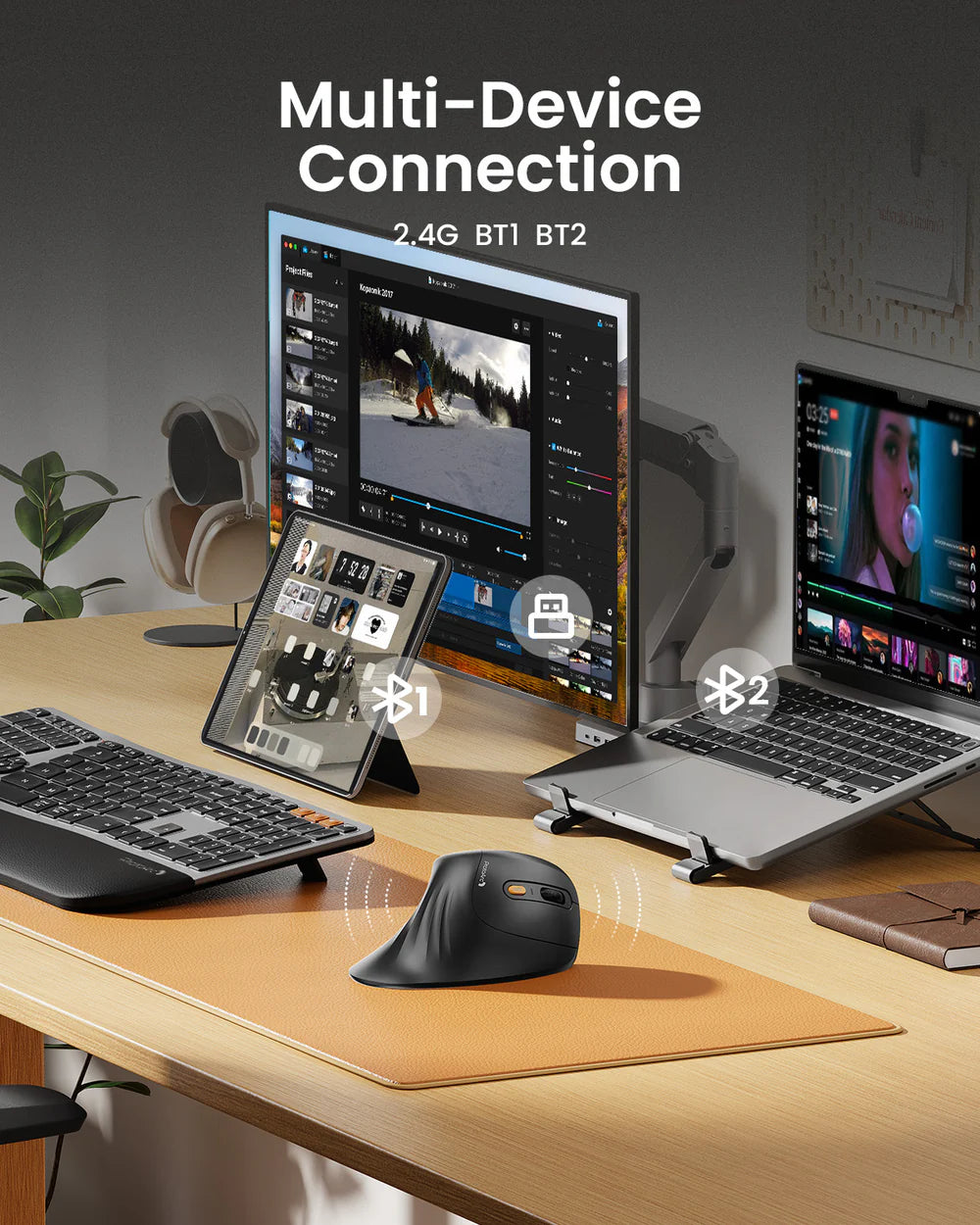
One Mouse, Every Device
Move seamlessly between your laptop, desktop, and tablet with support for up to three connected devices. Designed for the way modern work actually happens.

WORTH THE SWITCH
GripFlow™ users are often surprised by how quickly the vertical grip starts to feel natural. Many settle in within the first few days. Once your hand gets used to resting instead of twisting, a flat mouse is the one that feels wrong.
What Customers Are Saying

This is the most comfortable mouse I've ever used, it beats every ergonomic mouse I've tried before. It glides smoothly, the buttons feel solid, and the extra support under my hand makes a real difference during long sessions.

I've had this for about a year now and haven't had a single issue. The Bluetooth connection is fast and reliable, switching between my laptop and desktop takes seconds, and it's genuinely helped with wrist pain I used to deal with. Battery life is excellent too, I maybe charge it once a month.

Took me a couple of days to get used to the shape, but within a week I was completely sold. My hand posture feels so much better, and the scroll wheel and clicks feel solid for the price. Just know there's a short learning curve before it clicks.
This has made working at my computer so much more comfortable. The comfort alone made the switch worthwhile for me, and the battery life, easy pairing, and ability to use it with multiple computers are bonuses I actually use.
I absolutely love this mouse. The ergonomic design is incredibly comfortable and keeps my hand and wrist in a much more natural position, especially when I'm working at my computer for hours at a time. The buttons are easy to reach, it feels smooth and responsive, and the shape is comfortable without being bulky.
The product designer is a complete genius. The mouse is very practical and convenient, with great features.
This was my first vertical mouse I liked it
This is the most comfortable mouse I have ever used. It beats everything I have tried from Logitech - MX Master, MX Ergo, Trackball. If they added a side scroll wheel, it would be the perfect mouse. I am truly shocked at how comfortable it is to use.
Frequently Asked Questions
Does it take time to get used to the vertical grip?
GripFlow™ users often report that it takes surprisingly little time to get used to the vertical grip. Many feel comfortable within the first few days, and once the natural handshake position clicks, going back to a flat mouse is what feels strange.
What if it doesn't fit my hand?
Then send it back. GripFlow™ suits most small to medium hands — up to roughly 7.5 inches / 19 cm — but hands are personal and no spec sheet can tell you how something actually feels. Shipping to you is free, and you have 30 days to decide. If it isn't right, you get your money back.
Why is GripFlow™ cheaper than premium ergonomic mice?
Because you aren't paying for features most people never touch. GripFlow™ skips programmable buttons, macro software, and a side scroll wheel, and puts the money into the part that decides whether your wrist hurts at 4pm: the grip angle and the shape of the shell. If you live inside custom macro profiles, buy the expensive one. If you want a flat mouse to stop twisting your forearm all day, this does that job.
What hand size is GripFlow™ designed for?
GripFlow™ is best suited for small to medium-sized hands (up to approximately 7.5 inches / 19 cm in length). If you're unsure, measuring your hand before ordering will help ensure the best fit.
Is there a left-handed version?
Not right now. GripFlow™ is shaped for right-hand use only, and the contour that makes it comfortable in your right hand works against you in your left. If you mouse with your left hand, this isn't the one for you — we would rather tell you here than take the order and disappoint you.
Which devices is GripFlow™ compatible with?
GripFlow™ works with Windows, macOS, and Android, and connects to up to 3 devices at once via Bluetooth or the included 2.4GHz USB receiver.
Do I need to install any software?
No. Plug in the 2.4GHz receiver or pair over Bluetooth and it works — no drivers, no account, no profiles to configure. Setup takes under a minute. The trade-off is that the buttons aren't programmable, so what you get out of the box is what you get.
Do the forward and back buttons work on Mac?
The forward and back navigation buttons aren't supported on macOS. All other buttons, including DPI switching and device switching, work as expected.
Is it precise enough for design and photo editing?
For most creative work, yes. Three DPI settings — 1000, 1600 and 2400 — let you switch between fine cursor control for detail work and faster movement across a large display. Where GripFlow™ isn't the right tool is competitive shooters, which need a higher sensor ceiling and polling rate than this design targets.
Can I use it for gaming?
Yes — for casual gaming. GripFlow™ performs well for everyday gaming while prioritizing long-term comfort. It isn't designed as a competitive esports mouse, but it's an excellent choice for gamers who spend long hours at their desk.
I already use a wrist rest. Do I still need this?
A wrist rest supports your wrist from underneath. It doesn't change the rotation — a flat mouse still asks your forearm to stay twisted for the whole day, and that rotation is the specific thing GripFlow™ addresses by holding your hand upright instead. Plenty of people end up using both. Comfort varies from person to person, and GripFlow™ isn't a medical device or a treatment for an existing injury.
Is GripFlow™ good for long work sessions?
Absolutely. The ergonomic vertical design encourages a more natural wrist position, making it ideal for extended periods of work, studying, browsing, or creative tasks.
Will this completely eliminate wrist pain?
GripFlow™ is designed to promote a more natural hand position and help reduce wrist strain and improve comfort during long computer sessions. Individual experiences vary, and it isn't a medical device or treatment.
Is this mouse rechargeable?
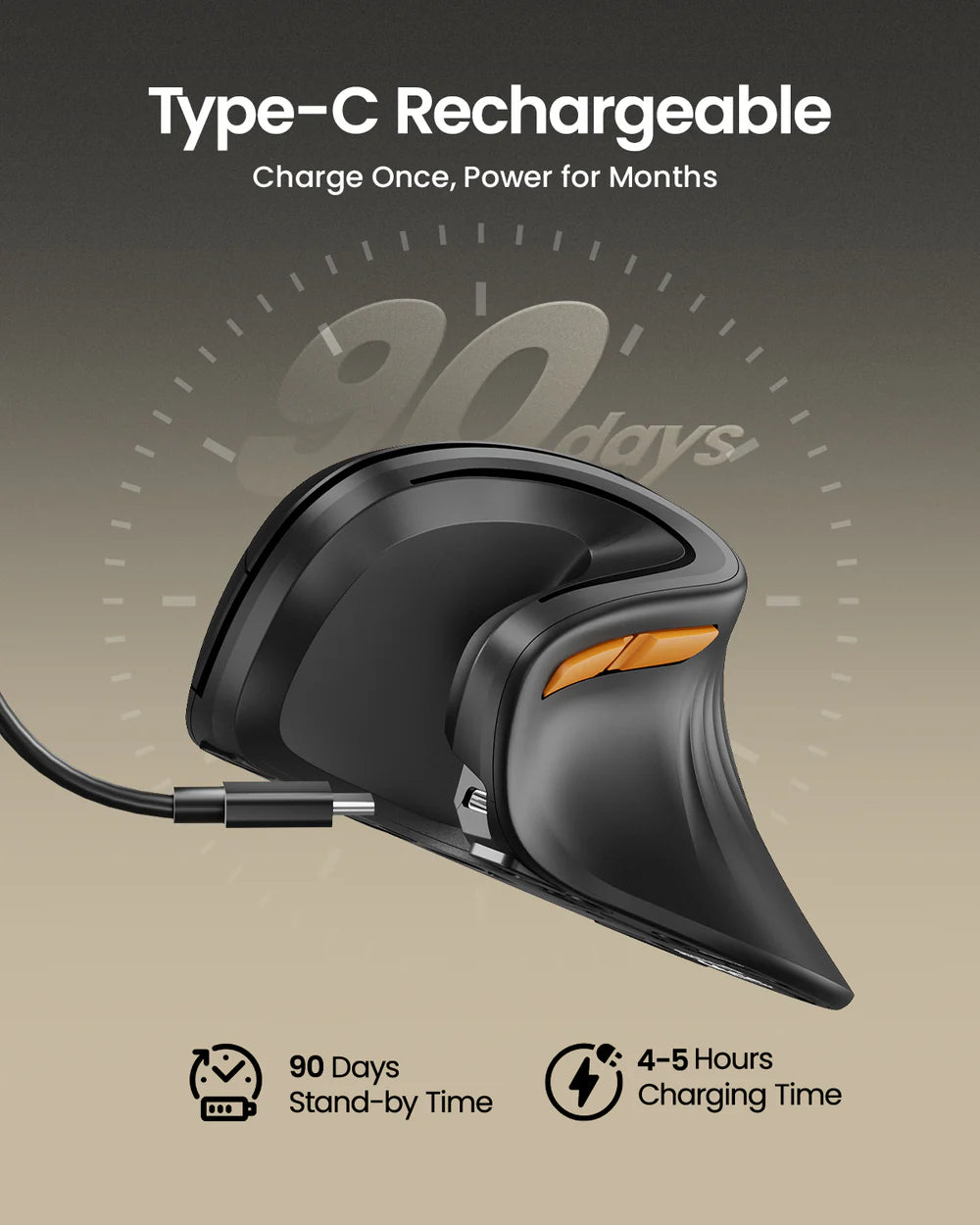
Yes. GripFlow™ features a built-in 500mAh rechargeable battery and includes a USB-C charging cable, so there's no need for disposable batteries.
How long does the battery last?
Battery life depends on daily usage, but most users only need to recharge about once every few weeks to around once a month, making it easy to keep powered without frequent charging.
Can I use it while charging?
Yes. You can continue using GripFlow™ while it's connected to the included USB-C charging cable, so you won't have to stop working if the battery runs low.
Are the clicks loud?
No. The left and right mouse buttons feature quiet-click switches to reduce noise. The scroll wheel and side buttons produce a more standard clicking sound.
Are the buttons programmable?
No. GripFlow™ does not currently support button programming or custom macros. It focuses on simplicity, comfort, and reliable everyday performance.
How long does shipping take?
Shipping is free on every order, with no minimum. You'll find a live delivery estimate just above the Add to Cart button on this page, calculated from the day you order, and you can follow your order from the Track Order page once it ships.
Why choose the GripFlow™ Ergonomic Vertical Mouse?
GripFlow™ combines a natural vertical grip, rechargeable battery, quiet clicks, and multi-device connectivity in one comfortable design. It's built for people who spend hours at a computer and want a more enjoyable everyday experience.
